Windows 10 執行特定程式 (如計算機、第三方應用) 彈出「遺失 libcurl.dll」錯誤。解決方法:從相同版本 (x64/x86) 的正常系統複製對應 DLL 至系統目錄,並以 regsvr32 註冊。
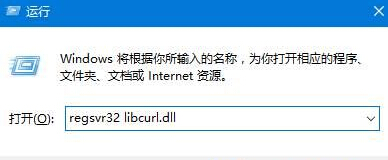
C:\Windows\SysWOW64 複製 libcurl.dll (32 位 DLL) 或下載對應版本。C:\Windows\System32 複製。C:\Windows\SysWOW64C:\Windows\System32regsvr32 libcurl.dll → 確定。
SysWOW64 存放 32 位 DLL (給 32 位程式用),System32 存放 64 位 DLL (給 64 位程式用) — Windows 慣例命名反直覺。