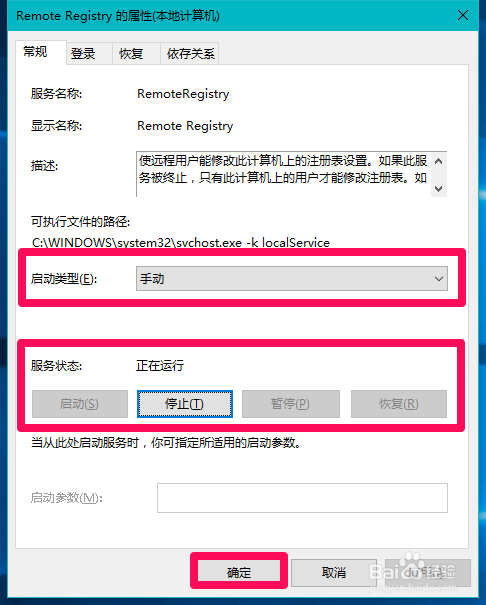
防止遠端竄改本機登錄,停用 Remote Registry 服務:
services.msc 開啟服務管理員。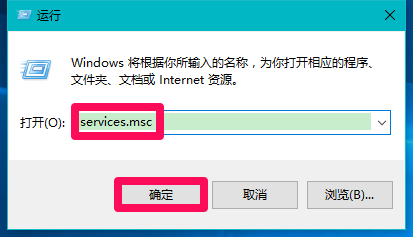
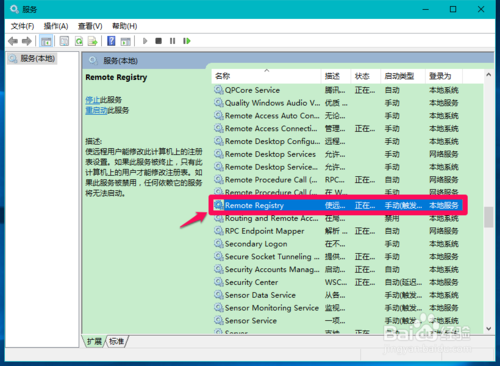
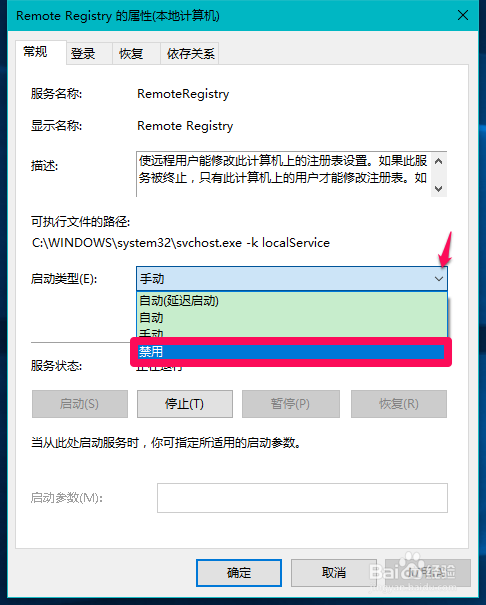
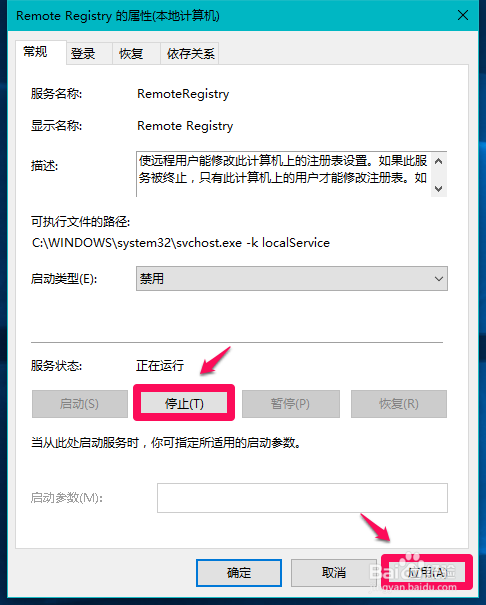
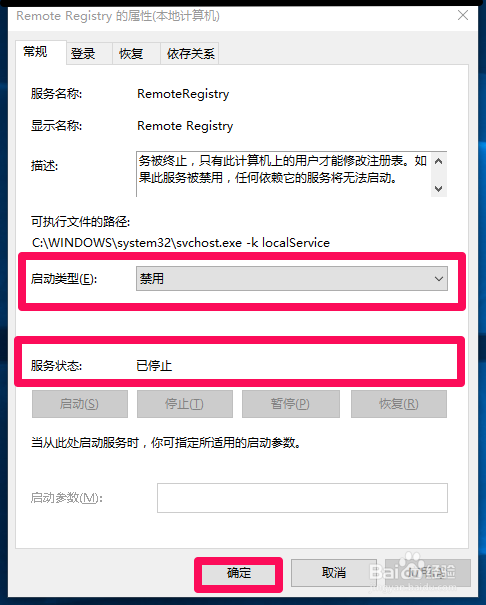
需遠端協助時暫改為「手動」並「啟動」,事後務必改回「停用/已停止」。
Windows 10 Wi-Fi Sense 自動分享密碼如何禁止?三步驟關閉網路共享功能
Windows 10 技術預覽版安裝體驗:7 大新特性速覽(桌面圖示、開始選單、虛擬桌面、視窗化 App、搜尋、CMD、繼承 Win8.1)
Windows 10 任務列顯示程式圖示:設定 → 系統 → 通知與動作 → 選擇任務列顯示圖示
Win10 正式版發布時間預測:AMD 高層透露 7 月底、微軟仍在修復手機版 Bug、免費升級成最大誘因
Windows 10 內建防毒 Windows Defender 無法啟動的修復方法
Win10 開始選單搜尋卡頓解決:關閉 Bing 線上搜尋加速本地索引