Windows XP Windows 7 Windows 2003 Windows Vista Windows 綜合教學 Linux 系統教學
Windows 10 Windows 8 Windows 2008 Windows NT Windows Server 電腦軟體教學
您现在的位置: Windows教程網 >> Windows教程 >  >> 電腦軟體教學 >> 系統工具

PQMagic 分區損毀數據救援:用 Ghost 還原鏡像完美挽回 E 槽資料

編輯:系統工具

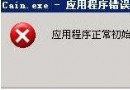
作者嘗試用 PartitionMagic 8.0 將 C、D 槽各分 1GB、500MB 給空間不足的 E 槽,調整完成進入 Windows 發現 E 槽資料全消、容量未變,C/D 槽卻已縮小。Windows 檢查錯誤失效,磁碟掃描修復後產生大量 .CHK 殘檔,關鍵資料面臨遺失危機。

靈機一動:Ghost 鏡像備份大法

  1. 進入 Ghost DOS 環境,選 Local → Check → Disk 掃描 E 槽,驚喜發現掃描列表中出現原有檔案目錄結構
  2. 先用 Ghost 將 E 槽完整備份為鏡像檔存放 D 槽
  3. 將 E 槽格式化,容量瞬間變為 PQ 預期調整後的大小
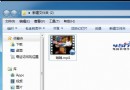
  4. 用 Ghost Explorer 開啟鏡像檔,將檔案提取回 E 槽
  5. 驗證程式執行正常,資料完整救回

錯誤根因複盤

PQ 8.0 僅支援相鄰分區調整,作者跨越 D 槽直接調整 C→E 導致分區表邏輯錯亂。教訓:動態調整分區前務必完整備份,且嚴格遵循軟體限制條件操作。

Copyright © Windows教程網 All Rights Reserved