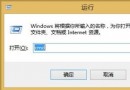
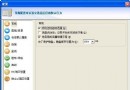
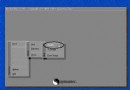
移動硬碟能識別盤符但點擊無反應或提示無法存取,可用 EaseUS DiskGenius(原 DiskMan)搶救資料:
進度較 Windows 複製慢,但成功率極高,親測有效。
DM (DiskManager) 快速分區格式化圖文教程:DOS 環境下大硬碟高效分區利器
eBook Workshop 製作 EXE 格式電子書完整教學:從導入到編譯
VMware「Failed to lock the file」錯誤解決:刪除 .lck 鎖文件恢復虛擬磁盤訪問
紫光拼音輸入法:中英混輸免切換,輸入更順手
SAZ 檔案格式完整解析:Fiddler 會話封存與加密指南
VeriFace人臉識別卸載後開機報錯解決:Autoruns清理殘留啟動項
壓縮檔無法解壓?CRC 錯誤防範與損壞檔案搶救指南
QQ電腦管家文件保險箱提示「錯誤文件」?取消唯讀/壓縮屬性即可修復