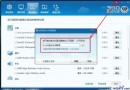
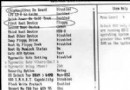
筆電進 Ghost 不久即死機,多因主板 BIOS 設定不當。解決方法:
右鍵選單缺少 WinRAR 壓縮選項?安裝時勾選「關聯選單項目」即可
五筆字根表分區練習工具:六大模式循序漸進掌握字根分布
Ghost 備份還原常見問題精選解答
GHOST 6 分鐘極速整理系統碎片:備份還原法實測
.rtf 富文本格式詳解:打開方式、相容性、優缺點、源碼編輯
VirtualBox 安裝 CentOS 報錯「please use a kernel appropriate for your cpu」:啟用 PAE/NX 秒解決
GHOST 版 XP 安裝 IIS 失敗?啟用 MSDTC 服務一行指令搞定
極品五筆輸入法輸入特殊符號兩大法:系統軟鍵盤與內建符號庫