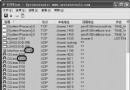
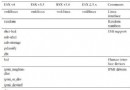
新批次電腦 Ghost 進入選單需近 1 分鐘,排除軟碟、IDE 控制器無效,最終發現是 USB 控制器導致。
-nousb
經驗:軟體常預留參數對應硬體相容性,善用搜尋可事半功倍。
WinPE 環境下移動硬盤不顯示盤符?五種解決方法完整教學
手動徹底移除 Norton AntiVirus 2003 及舊版:RNAV2003 + 登錄檔 + 服務 + 資料夾完整清理
U深度一鍵還原精靈啟動選單模式安裝教學:系統崩潰也能進入還原
搜狗輸入法十大實用技巧:讓輸入體驗十全十美
USBoot 製作 USB 啟動盤完整教程:ZIP/HDD/FDD 模式詳解
一鍵清理多餘開機啟動項:QQ電腦管家實操教學
小哨兵網絡拷貝:一次搞定三十台電腦系統部署
WinRAR 批量刪除壓縮包內多層目錄下的指定格式文件技巧