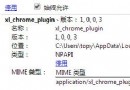
Alexa Toolbar 卸載後重開機又出現,控制台也無法移除。最終解法:
此法適用於頑固殘留工具列。
MSN 常見故障「步步通」:登入失敗、語音/視訊無法使用、1601 錯誤完整解決方案
淘寶助理上傳 CSV 資料包完整教學:從匯入到發布的六步驟流程
不再繁瑣:讓 Outlook 自動列印特定郵件
Foxmail 快速鍵大全:主視窗、寫信、遠端管理、通訊錄完整對照表
妙用 FlashGet「匯入列表」功能:文字清單秒變下載佇列,批量抓取論壇分享連結
IE10 無法記住帳號密碼完整排查:Internet 選項、群組原則雙軌修復指南
Outlook 快速重置指令:匯入 PRF 設定檔一鍵還原
QT 語音馬甲顏色權限對照表:房主、管理員、會員、嘉賓、遊客