Windows XP Windows 7 Windows 2003 Windows Vista Windows 綜合教學 Linux 系統教學
Windows 10 Windows 8 Windows 2008 Windows NT Windows Server 電腦軟體教學
您现在的位置: Windows教程網 >> Windows教程 >  >> 電腦軟體教學 >> 網路工具

輕鬆搜尋 BT 下載資源:以 BT 守望者為例

編輯:網路工具

BT 下載因「越多人下載越快」而流行,但資源分散於各站點,搜尋費時。介紹「BT 守望者」等搜尋引擎使用技巧。

1. 搜尋 BT 資源

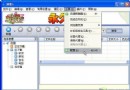
開啟 BT 守望者,輸入關鍵字按 Enter 或點「BT 搜尋」。結果顯示名稱、種子、連結、大小、發布時間。即使種子數與連接數為 0 的 Torrent 仍可嘗試下載。

2. 查看來源網站

點擊結果列「來源」欄的「檢視」連結,開啟 Torrent 發布網站頁面。

3. 推薦 Torrent 給好友

點擊「推薦」連結啟動預設郵件軟體(如 Foxmail 需在 IE 選項→程式→電子郵件指定)。輸入好友信箱即可寄送。

其他 BT 搜尋網站

各站搜尋範圍不同,一站搜不到可換另一站嘗試。

Copyright © Windows教程網 All Rights Reserved