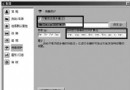
點擊下載連結網路螞蟻無反應,重裝也無效。原因通常是未開啟「監視」功能或安裝路徑含中文。
微信小視頻黑屏、無法拍攝?多半是相機權限未開,華為/小米/魅族通用解法
微信銀行卡功能上線:我的銀行卡入口與綁定三步驟
電子郵件使用技巧 23 則:自動記憶密碼、多信箱分流、自動分揀、通訊錄、附件、匿名郵件、備份等全方位指南
陌陌如何關閉通訊錄好友推薦功能:保護隱私防熟人發現
Outlook 編輯郵件出現段落標記等符號?編輯器選項中取消勾選即可隱藏
QQ 瀏覽器圖標點亮教學:安裝電腦版→設為預設→登入 QQ 三步驟
IE 瀏覽器實現文字檔案簡易加密:變身亂碼防窺視
FlashFXP 進階秘笈五則:明文密碼、避免重註冊、隊列自動載入、IE 整合、內網連線優化