搜狗瀏覽器「雙擊分頁關閉」功能與故障滑鼠(單點觸發雙擊)衝突,導致誤關分頁。關閉方法:
操作步驟
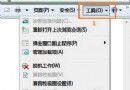
- 選單列 工具 → 搜狗高速瀏覽器選項。

- 切換 標籤設定 → 取消勾選 滑鼠左鍵雙擊關閉標籤。
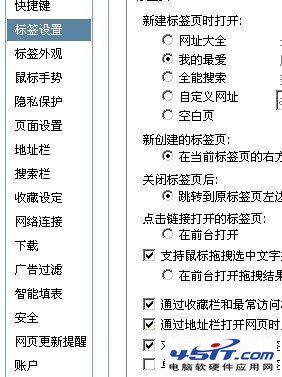
- 點 套用 → 確定,即時生效。
補充建議
- 若滑鼠確實有「單點變雙擊」硬體故障,建議更換滑鼠或調整系統「雙擊速度」設定(控制台 → 滑鼠 → 按鍵 → 拉慢雙擊速度)。
- 其他瀏覽器同類設定:
Chrome/Edge:無內建雙擊關閉,需擴充功能實現。
Firefox:about:config → browser.tabs.closeTabByDblclick = false。
360:標籤右鍵選單無直接開關,需進階設定或擴充。