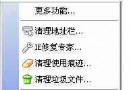
點擊下載連結時彈出「目前安全性設定不允許下載該檔案」,解決方法:
即可恢復正常下載功能。
讓 Foxmail 發信有回執功能:全域或單封設定請求閱讀回條
網盤是什麼?免費網盤哪個好?2024 最新避坑指南與推薦
如何設定/更改預設瀏覽器?控制台「設定預設程式」通用法與各瀏覽器內建法
Flash Saving Plugin:瀏覽器輕鬆下載、管理、播放 Flash 動畫
FlashFXP 進階秘笈五則:明文密碼、避免重註冊、隊列自動載入、IE 整合、內網連線優化
Outlook Express 自動加入個性簽名檔設定教學
Maxthon 2.0 RSS 功能詳解:輕鬆收藏、即時閱讀、快速更新、管理器、線上同步、設定選項
免費網路電話 redvip:註冊送 5 元、推薦賺話費、8 分打國際長途