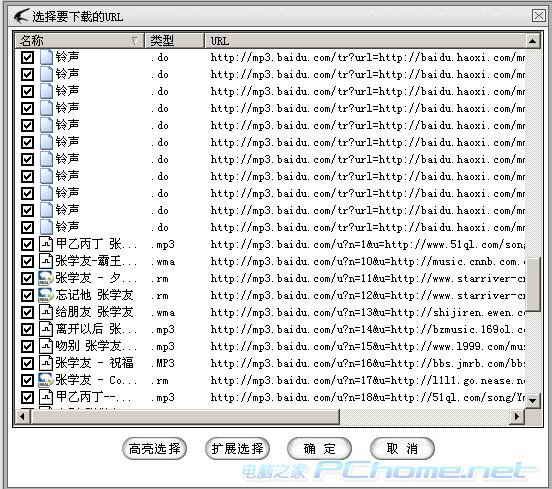
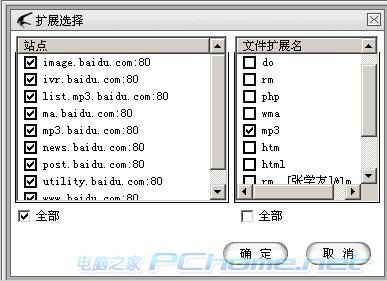
百度/一搜搜歌手 (如張學友) 出現幾十首 MP3 連結頁,逐點下載極累。迅雷「下載全部連結」輕鬆解決。
MSN Image Text:將表情符號轉為酷炫文字圖像,豐富聊天趣味
支付寶綁定工行 U 盾提示「PTA 簽名失敗」?一招解決雙證書衝突
IE9 輸入框無法輸入文字?關閉保護模式或重設 IE 進階選項
巧解迅雷自動攔截下載:關閉瀏覽器與剪貼板監視,靜默下載小檔案
「微信十條」全文內容解讀:公眾號管理新規範與 46 個違規帳號永久關閉案例
開機報錯「Reader PCSC Driver Error」?多半是工行 U 盾驅動衝突,兩招輕松修復
微信聊天記錄如何備份到電腦?騰訊電腦管家 USB/WiFi 雙模式教學
加快 Firefox 3.5 啟動速度的方法