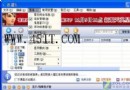
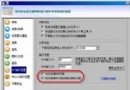
Win7 下 IE9 點擊網頁輸入框卻無法輸入,多次點擊後失效。原因可能涉及保護模式、輸入法衝突、IE 檔案損壞或病毒。
若仍無效,建議掃毒或修復系統檔案(sfc /scannow)。
sfc /scannow
如何將 Opera 瀏覽器設為預設瀏覽器?內建設定與系統關聯雙重保障
微信小視頻黑屏、無法拍攝?多半是相機權限未開,華為/小米/魅族通用解法
微超市是什麼?微信生鮮/日用 1-3 小時達配送服務介紹
FlashGet 代理伺服器設定教學(SOCKS5 範例)
新版 Web 迅雷加速二法:突破 TCP 連接限制、調高執行緒數滿速下載
微會免費電話資費詳解:回撥模式 vs 語音聊天模式費用差異
迅雷 5 實用雙技:下載完成自動掃毒與 RTSP 流媒體下載
迅雷 5 提示「搜尋候選資源發生錯誤」?瑞星防火牆封鎖導致,修改規則放行即可