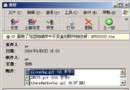
Foxmail 發信時解析遠端 SMTP 域名耗時。原理:POP 收信不可動,SMTP 發信可改用最近的 ISP 郵件伺服器(如同就近郵局寄信)。
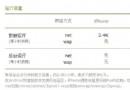
作者 ISP 在南通,SMTP 伺服器 202.102.4.181。Foxmail 設定:
202.102.4.181
發信速度明顯提升,收信不受影響。
Outlook 與 Outlook Express 差異大比較:功能、定位與適用對象完整分析
讓 IE 瀏覽器啟動自動最大化:三種方法任君選
微信朋友圈刪除評論/回覆圖文教程:長按評論文字即可刪除
電腦怎麼傳簡訊給手機?飛信、傲信兩大免費軟體實測教學
綠色版迅雷 5 無法啟動「init task manager failed」故障修復
Outlook 撤回/取代已寄出郵件完整教學:條件與操作步驟
Firefox 外掛 Emanuele Ruffaldi:網頁郵件也能拖曳附件上傳
網易博客打不開?兩招修復 IE 腳本註冊與快取清理解決