IE8 選取文字時彈出的「加速器」圖示干擾閱讀?兩步驟徹底關閉。
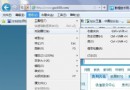
右鍵加速器按鈕 →「所有加速器」→「管理加速器」→ 選中項目 →「停用」。
工具 → Internet 選項 → 進階 → 找到倒數第三項 「選取時顯示加速器按鈕」 → 取消勾選 → 確定。
如需恢復,反向操作即可。關閉後選取文字不再彈出任何加速器相關 UI,介面更乾淨。
IE7 訪問 HTTPS 網站故障完整排除:XP/Vista 雙平台、證書匯入、SSL 2.0、混合內容
IE 總提示「遇到問題需要關閉」的解決方案
IP 加速器使用教學:降低遊戲延遲、提升網速的虛擬專用通道工具
Outlook 2007 文件組件庫:儲存常用郵件片段(抬頭、簽名、聯絡資訊)一鍵插入
迅雷變身兼職秘書:修改每日提示檔案,讓啟動時提醒重要事項
Windows 系統屏蔽 FlashGet 彈出廣告:利用 NTFS 權限封鎖廣告快取目錄
Chrome 以圖搜圖擴充功能安裝與使用教學:上傳圖片反搜來源與相似圖
獲取 MSN 8.0 邀請碼的完整方法與各國代碼表