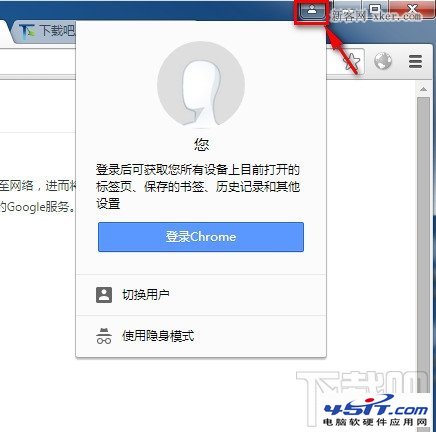
Chrome 更新後右上角多出「頭像選單」,想關閉可透過 chrome://flags 停用實驗功能。
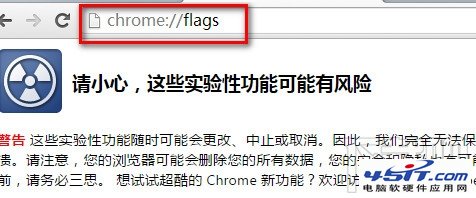
chrome://flags
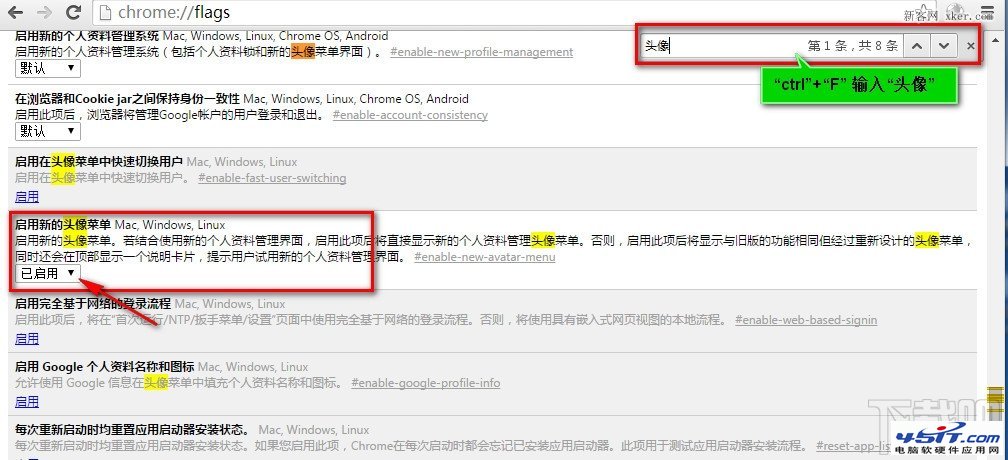
chrome://flags/#enable-new-avatar-menu
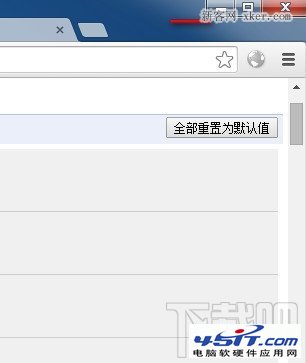
圖:Chrome 右上角新頭像選單
圖:Flags 頁面搜尋頭像
圖:找到新頭像選單設定
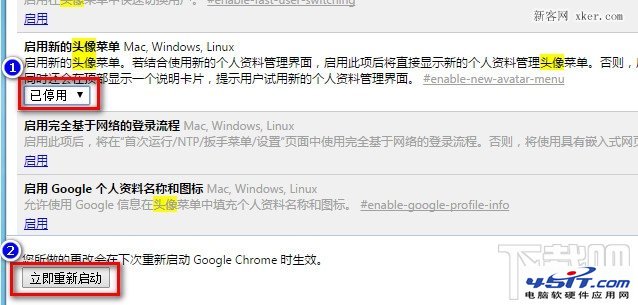
圖:設為 Disabled
圖:重啟後選單消失
習慣舊版介面的用戶,這招能找回熟悉的體驗。
手動修改註冊表提升 IE7 同站同時下載連線數(預設 2 改為 5)
IE9 開啟網頁白畫面?兩招重設瀏覽器解決
Chrome 分頁與視窗管理技巧:Session Manager、Simple Window Saver 降低記憶體佔用
微信朋友圈發視頻兩法:掃描二維碼分享、QQ 離線助手傳鏈接分享
Outlook Express 設定規則拒收群發垃圾郵件
找回 Foxmail 中已刪除的電子郵件地址:Foxmail.adc 檔案救援
移除 Windows Live Messenger 8 於「我的電腦」建立的共享資料夾
IE9 播放愛奇藝視頻卡死?四步驟徹底解決