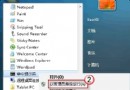
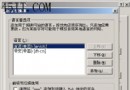
支付寶花呗支援提前還款,分「未出帳單」與「已出帳單」兩種情況,操作略有不同,但都不支援部分還清,只能全額結清。
圖:花呗還款入口
圖:我要還清確認頁
提前還清無手續費,釋放額度,信用卡帳單壓力大時可善用此功能周轉。
網易博客打不開?兩招修復 IE 腳本註冊與快取清理解決
微信 6.0 朋友圈小視頻關閉自動播放:省流量必學設定
微軟 IE8 瀏覽器快捷鍵大全
IE8 完整移除教學:Windows XP / Vista / 7 / Server 2003 / 2008 官方標準與指令法
去除 IE「允許此網頁存取剪貼簿?」提示:安全性自訂啟用剪貼簿程式設計存取
IE9「加入最愛」按鈕失效怎麼辦?重設瀏覽器快速解決
妙用 FlashGet「匯入列表」功能:文字清單秒變下載佇列,批量抓取論壇分享連結
微話 App 如何封鎖好友?圖文教學三步搞定