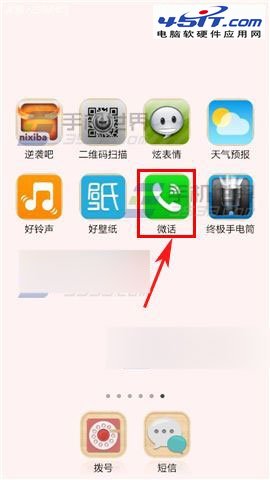
不想接某人來電,用微話的「封鎖」功能即可靜音對方,不刪好友、不傷和氣。操作如下:
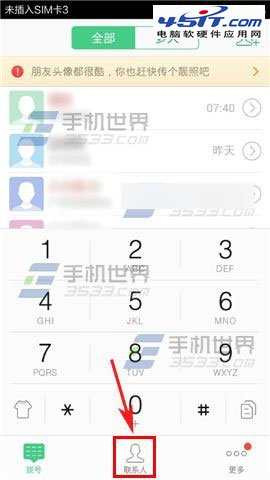
圖:進入聯絡人頁面
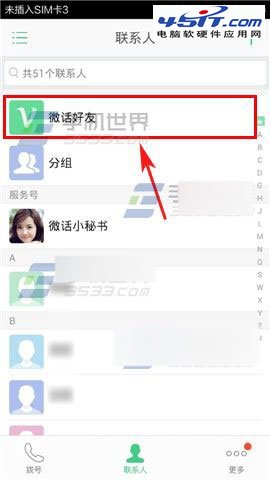
圖:選擇微話好友
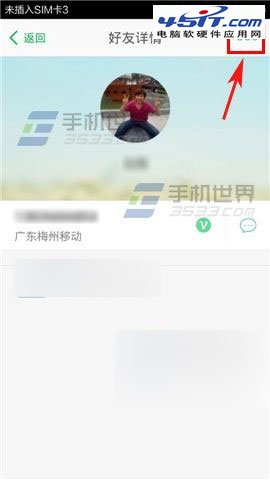
圖:進入好友詳情
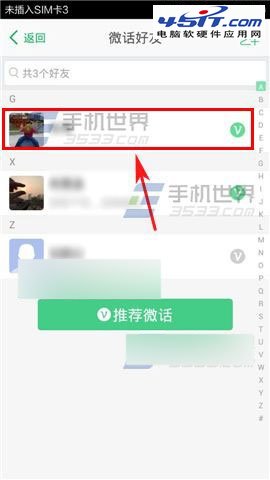
圖:點選好友
圖:點擊右上角選單封鎖
封鎖後對方來電不會響鈴、不彈通知,解除封鎖同樣在該選單操作。適合暫時不想被打擾的場合。
Outlook Express 郵件規則:直接在伺服器刪除非本人收件垃圾郵件、撤回誤寄郵件
P2P 網路電視錄製雙軟體實戰:asf2mkv 錄 ppStream/TVKoo/TVAnts、WM Recorder 錄 PPLive
「目前的安全性設定不允許下載該檔案」?IE 安全性等級調整一鍵解決
Outlook 2010 啟動緩慢?停用多餘 COM 增益集加速開啟速度
不用逐個數:快速統計 MSN 聯繫人數
網頁 Flash 不顯示?完整排查與修復指南 (IE 設定、登錄檔、外掛重裝)
IE8 無法喚起迅雷下載?啟用 BHO 控件與下載支援修復教學
Firefox 擴充套件安裝三種方法