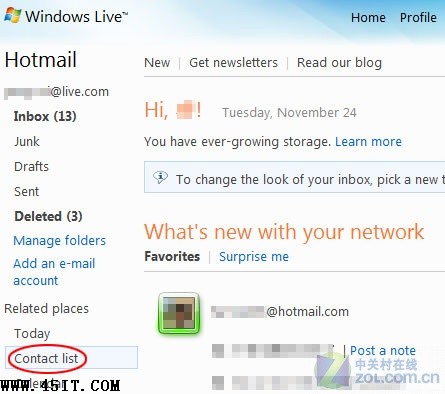
MSN 使用者常在主介面疊加數字計算聯繫人總數,但不夠直觀。其實透過 Hotmail 網頁版信箱 即可一眼看清總數。
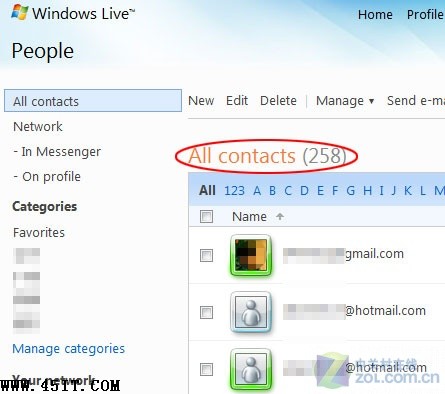
頁面切換後,「All contacts」 顯示的數字即為目前登入 MSN 帳號的所有聯繫人總數。
xxxx@45it.com
飛信群建立完整圖文教學:從建群到管理權限設定
微信飛機大戰如何贈送飛機給好友?收到請求後回遊戲中心一鍵送出
PP 點點通最新版下載與使用詳解:安裝註冊、介面導覽、資源搜尋下載、好友互動、共享設定、積分廣播全功能解析
FlashGet 三大隱藏功能:批次下載、排程任務、記憶分類
IE「自動偵測設定」灰色無法取消?登錄檔一鍵修復
Windows Live Messenger 登入錯誤 80048xx 解決:檢查服務狀態、清除本地憑證
BTogether:內網用戶輕鬆玩 BT 的 SOCKS/HTTP 代理支援神器
微信升級後變英文界面怎麼辦?語言設定切回中文圖文教學