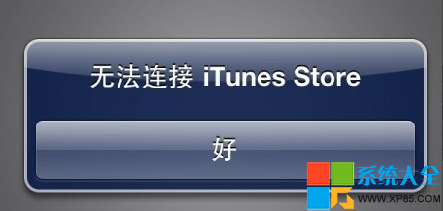
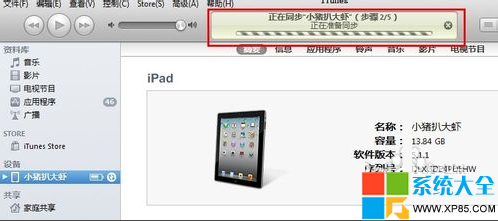
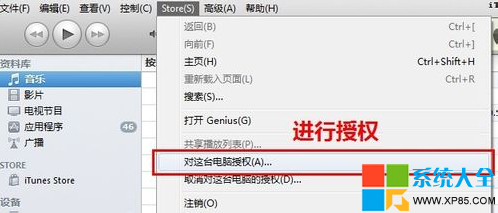
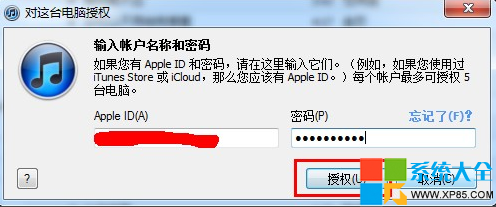
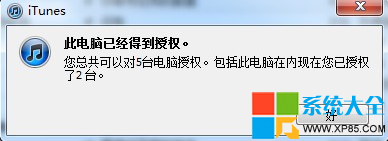
網路正常但 iPad/iPhone 提示「無法連接 iTunes Store」,通常是電腦未授權導致。以下步驟可快速修復:
授權上限為 5 台電腦,若達上限需先在其他電腦取消授權。
XY蘋果助手一鍵刷機全流程:固件下載/刷機/激活/必備應用安裝
酷狗音樂無損音質攻略:APE/FLAC 格式優勢與線上聽歌實測
關閉 IE SmartScreen 篩選器加速瀏覽與下載
VMware 虛擬機網路設定技巧:橋接模式指定實體網卡、新增自訂 VMnet
WiFi 共享精靈無法啟動綜合修復指南:更新驅動/買專用網卡/共享設置/防火牆/換軟體
《刺客信條2》第二章流程攻略:逃離佛羅倫薩、學習潛行偷竊、達芬奇修袖劍、刺殺烏貝托、降低通緝、護送家人出城
DNF周邊商城國慶回饋:免費領100元優惠券,活動規則與領取地址
程式設計師專屬 6 大詭異小習慣:從 0 開始數到 == 判斷相等