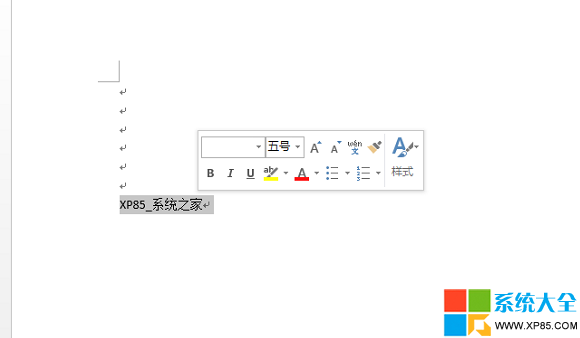
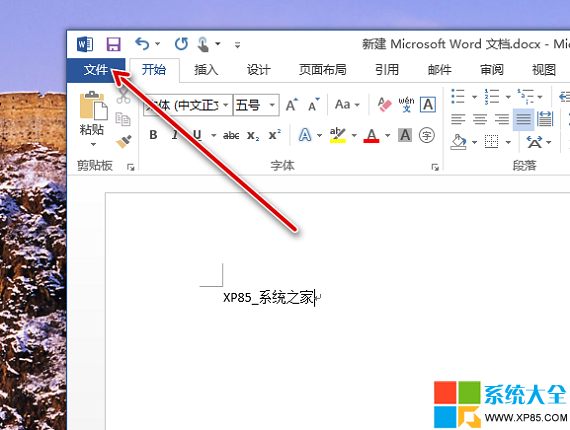
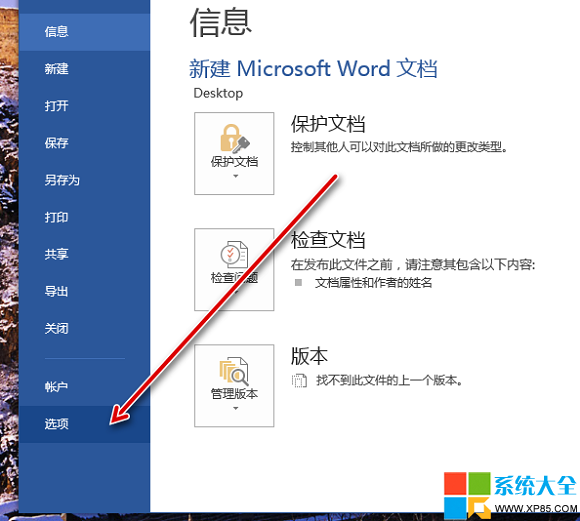
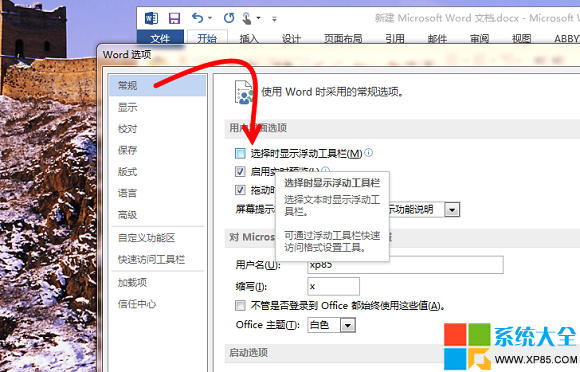
Word 2013 預設選取文字時會顯示半透明的「迷你工具列」,雖方便快速格式化,但有時會遮擋內容。若想關閉:
之後選取文字不再自動彈出工具列;若需恢復,同樣路徑勾回即可。
搜狐視頻去廣告教學:修改 hosts 檔案一勞永逸屏蔽多站廣告
迅雷 7 導出下載任務清單教學:備份下載隊列防遺失
安卓手機開啟 USB 偵錯完整指南:各版本 Android 設定差異圖解
搜狗輸入法狀態欄消失?兩招找回顯示
火影忍者OL雷主忍者考試135層通關陣容與手法詳解
Excel 2013 VLOOKUP 函數完整教學:跨表查找引用資料
FreezeTheApp 頻繁彈廣告疑似中毒 掃描日誌顯示Chrome擴展異常
魔影工廠 MOV 格式轉換完整圖文教學