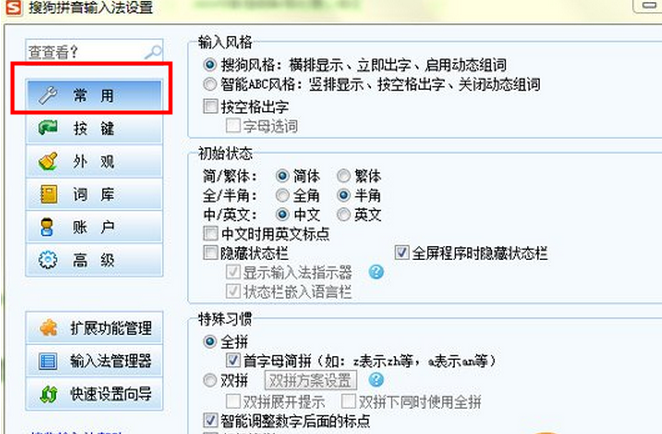
搜狗輸入法狀態欄不見了?提供兩種找回方法:檢查設定屬性、徹底重裝。
若上述無效,請完整卸載(含使用者設定檔、登錄檔),重新安裝預設即恢復。
狀態欄回來了,打字切換更順手!
Outlook 與 Foxmail 郵件雙向遷移全攻略:.pst/.eml 格式轉換、XP/Win7 系統差異處理
俠客風雲傳打獵採藥小竅門:非養成模式實戰、杜康村買弓、洛陽打獵、元旦後進階弓獲取全攻略
Win10 玩 CF 無法全屏?一鍵修復:雙端同步分辨率 1024×768
QQ 空間免費添加網路背景音樂教學:百度音樂搜尋 MP3 直連、貼上即用
小米盒子 USB 安裝第三方 App 完整教學:電腦端操作圖解
天涯明月刀「開學幸運星」返校活動:赤山貓/海龜/和田雪鹿珍稀寵物抽取,三大回歸禮包助力重返江湖
LOL S5 全球總決賽 SKT vs KOO 第四局超清視頻回顧
CF 七周年慶典線下線上雙狂歡:下載掌上 CF 看視頻抽黃金毛瑟、AWM-翡翠