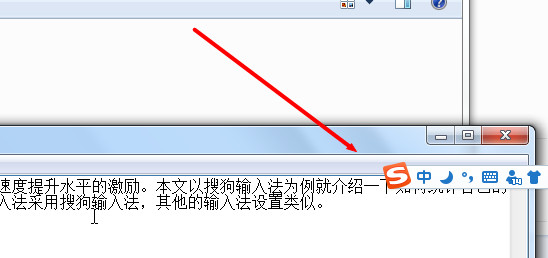
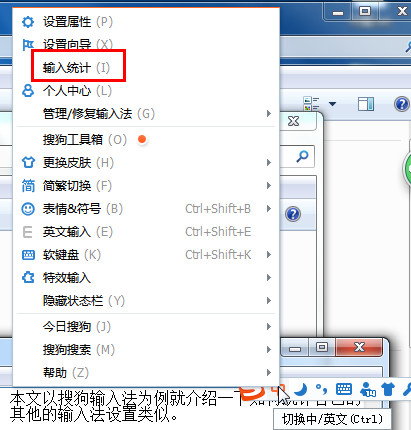
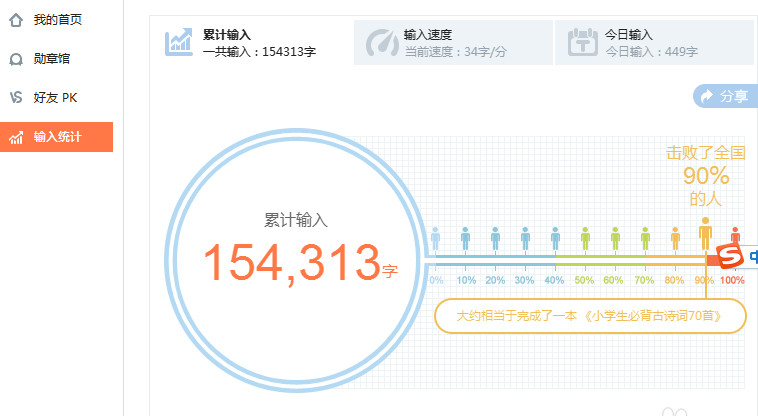
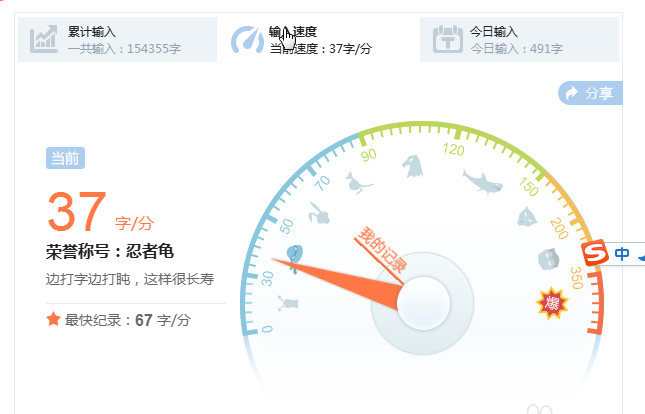
想知道自己打字多快?搜狗輸入法內建統計功能,工具列右鍵→「輸入統計」即可查看累計字數與即時速度。
隨時掌握打字表現,練習更有目標!
愛思助手移動版:免越獄免蘋果 ID 安裝正版 App、極速下載、支援 iOS 5~7.1.1 全裝置
搜狗輸入法打字速度統計查看:工具欄右鍵→輸入統計→查看字數與速度
30 秒讓電腦快一倍:垃圾清理、開機優化、病毒查殺三合一 BAT 腳本
手機 QQ 5.4 版深度解析:移動支付與 LBS 社交雙引擎,構建商業閉環新生態
《虐殺原形》PC版第四章「玻璃背後」全任務圖文詳解
百度雲會員提速特權詳解:專屬下載通道、試用方法、帶寬上限、慢速排查
免費公共 WiFi 成駭客溫床:中消協 6 大防護要訣,保護個人隱私資安
《海賊無雙3》600感嘆號成就攻略:索隆加入後利用夥伴技清兵速刷