Windows XP Windows 7 Windows 2003 Windows Vista Windows 綜合教學 Linux 系統教學
Windows 10 Windows 8 Windows 2008 Windows NT Windows Server 電腦軟體教學
您现在的位置: Windows教程網 >> Windows教程 >  >> 電腦軟體教學 >> 電腦軟體介紹

Foxmail 忘記密碼怎麼進?重命名 Account.stg 繞過驗證(僅供自查)

編輯:電腦軟體介紹

僅供本人對自己帳號進行安全測試,嚴禁用於非法入侵。

Foxmail 驗證機制漏洞:若刪除或重命名帳號目錄下的 Account.stg,再啟動 Foxmail,程式會自動產生空密碼的 Account.stg,即可免密登入。離開前刪除新產生的 Account.stg、將原檔改回名稱即可復原無痕。

定位 Account.stg

  • Foxmail 4.0:Mail\帳號名\Account.stg(首個帳號在 Mail 同層)。
  • 4.0 以上版本:開啟安裝目錄 accounts.cfg,末尾列出各帳號路徑(如 C:\Foxmail\Mail\21cn),Account.stg 即在該目錄下。
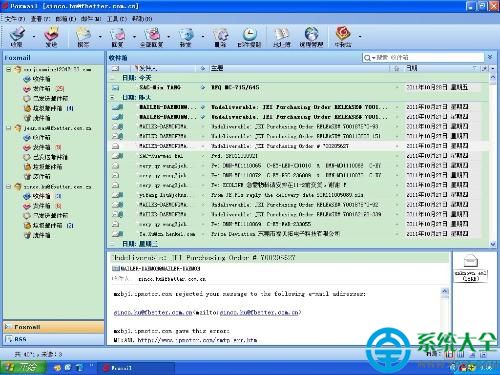
Foxmail 介面

警示: 網路世界無絕對安全,請妥善保管裝置、啟用雙因子驗證、定期更換強密碼。

Copyright © Windows教程網 All Rights Reserved