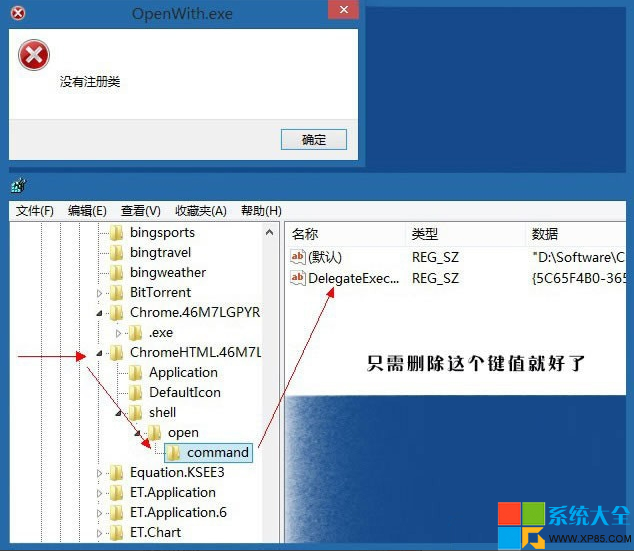
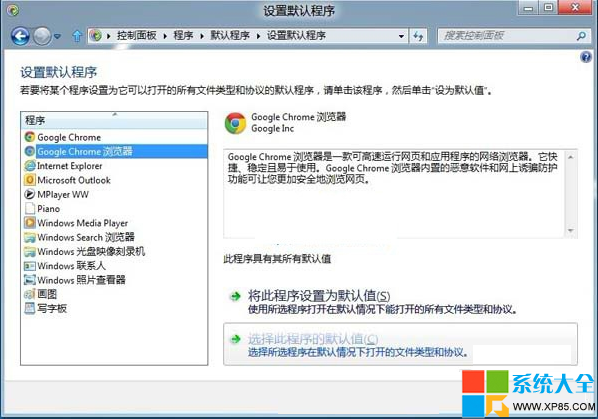
Win 8.1 下 Chrome 啟動報「沒有註冊類」,兩種修法任選一。
regedit
HKEY_CLASSES_ROOT
Chrome
DelegateExecute
同理適用於其他瀏覽器、播放器出現類似錯誤。
搜狗輸入法打字速度統計查看教學:工具列右鍵一鍵開啟
打印機驅動安裝避坑指南:端口、服務、脫機、刪除頑固驅動全解析
Word 文檔去除英文單詞下紅色波浪線三法:忽略、加入字典、關閉檢查
誤刪檔案且清空回收站怎麼辦?用 360 安全衛士嘗試資料救援
猩猩助手黑屏/白屏解決方案:單顯卡/雙顯卡分類對策、驅動更新、OpenGL 檢查
《DNF》「保衛農場大作戰」活動全攻略:擊殺小偷合成蔬果換神奇卡片合成器、深淵派對邀請函
Win7/8藍屏代碼0x50/igdpmd64.sys解決:IE9/10顯卡衝突、補丁KB2670838、磁盤自檢全攻略
Win10 玩 CF 無法全屏?一鍵修復:雙端同步分辨率 1024×768