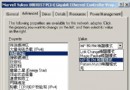
專業漏洞掃描器 (如 Nessus、NSFOCUS) 提供數十種針對性檢測模組。理解各模組含義,才能制定精準掃描策略,避免誤報與漏報。
| 選項 | 中文含義 | 適用場景 |
|---|---|---|
| Use IDS Evasion | 啟用反 IDS 繞過技術 | 滲透測試、紅隊演練 |
| Try to identify effective security checks to run | 自動識別目標運行的防禦系統 | 未知環境首輪掃描 |
| Include Denial-of-Service checks | 包含 DoS 攻擊測試 (可能導致服務中斷) | 授權測試、非生產環境 |
| Try to identify remote password files | 嘗試獲取遠端密碼檔 (如 /etc/shadow、SAM) | 權限提升驗證 |
| Detect server misconfiguration | 檢測伺服器錯誤配置 | 常規合規掃描 |
| Common HTTP Security Test | 通用 HTTP 安全測試 | 基線掃描 |
| Optimize Security Checks | 優化檢測類型 (預設全選特殊測試) | 平衡速度與覆蓋率 |
| IIS CGI Decode Test | IIS CGI 解碼漏洞 (如 Unicode 繞過) | IIS 4.0/5.0 專項 |
| General CGI Security Test | 通用 CGI 安全測試 | CGI 應用為主站點 |
| IIS Extended Unicode Test | IIS 擴展 Unicode 轉換測試 | 中/日/韓版 IIS 專項 |
| NCSA Security Test | NCSA httpd 安全測試 | 舊版 NCSA 伺服器 |
| IIS File Parsing Test | IIS 檔案解析漏洞 (如 ;.asp、.asa 解析) | IIS 5.0/6.0 專項 |
| ColdFusion Security Test | ColdFusion 系統安全測試 | CF 應用站點 |
| FrontPage Security Test | FrontPage 擴展管理安全測試 | 啟用 FP Extensions 站點 |
| Cisco HTTP Security Test | Cisco HTTP 管理平台安全測試 | 網絡設備 Web 介面 |
| FrontPage CGI Security Test | FrontPage CGI 安全測試 | FP CGI 應用 |
| WinCGI Security Test | WinCGI 安全測試 | WinCGI 程式站點 |
| Domino Security Test | Lotus Domino 系統安全測試 | Domino 郵件/應用伺服器 |
| Server-side language Security Test | 服務端腳本語言安全測試 (ASP/PHP/JSP 等) | 動態網站通用 |
| Unset All Checks | 取消所有特殊掃描類型 | 自定義最小掃描集 |
建議流程:
1. Port Scanner 發現存活主機與開放埠。
2. 啟用Optimize Security Checks+Detect server misconfiguration+Common HTTP Security Test進行基線掃描。
3. 針對識別出的技術棧 (IIS/Apache、PHP/ASP、CMS) 勾選對應專項測試 (如IIS Extended Unicode Test、Server-side language Security Test)。
4. 生產環境嚴禁勾選Include Denial-of-Service checks。