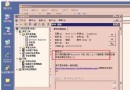
新裝 Win2003 做 Web 調試,IIS 啟動失敗。事件日誌來源 3SVC:
1. WWW 服務請求配置資料庫變更通知遇到問題
2. 初始化配置管理器出錯
3. 因錯誤退出,最終錯誤碼 2147500034 (0x80004002)——「不支援此介面」
核心 COM 元件未正確註冊,導致介面介面查詢失敗。典型場景:系統檔案損壞、SP1 整合不全、註冊表殘留。
以管理員身分執行 CMD,依次註冊:
regsvr32 C:\WINNT\system32\shell32.dll
regsvr32 C:\WINNT\system32\Browseui.dll
regsvr32 C:\WINNT\system32\mshtml.dll
regsvr32 C:\WINNT\system32\oleaut32.dll
regsvr32 C:\WINNT\system32\ole32.dll
regsvr32 C:\WINNT\system32\actxprxy.dll
regsvr32 C:\WINNT\system32\urlmon.dll
regsvr32 C:\WINNT\system32\shdocvw.dll
完成後執行 IISRESET 重啟 IIS,服務正常啟動。
建立 fix_iis_dlls.bat:
@echo off
set DLL_DIR=C:\WINNT\system32
for %%f in (shell32.dll Browseui.dll mshtml.dll oleaut32.dll ole32.dll actxprxy.dll urlmon.dll shdocvw.dll) do (
  echo Registering %%f...
  regsvr32 /s %DLL_DIR%\%%f
)
iisreset /restart
echo IIS DLL registration complete.
pause
sfc /scannow 檢查系統檔案完整性。個人電腦變身網站伺服器:動態域名 (花生殼) + IIS 完整實作
Linux Apache 啟動報錯 Internal Server Error:mod_rewrite 模組未載入解決方案
全功能伺服器建置指南:ASP、PHP、CGI、JSP、ASP.NET、MySQL 一站式整合部署
Windows Server 2003 安全加固 14 項核心清單:NTFS 權限、防火牆、服務精簡、審核策略、註冊表加固
IBM System x3610 常見問題精選問答 (FAQ)
聯想 T168 G5 服務器設置開機自動開啟 NumLock 數字小鍵盤燈
用戶服務器需求畫像與選型技巧:從空間、分佈、應用到供應鏈全維度
Windows 伺服器「系統分頁池耗盡」導致死機:註冊表調優 PoolUsageMaximum 與 PagedPoolSize 實戰