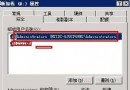
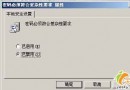
事件檢視器中記錄來源 PerfNet,事件 ID 2004:「無法開啟伺服器服務。伺服器效能資料將不會被傳回。錯誤碼為 DWORD 0。」開機時彈出錯誤對話框,影響使用體驗。
regedit)。HKEY_LOCAL_MACHINE\SYSTEM\CurrentControlSet\Services\PerfNet\PerformanceDisable Performance Counters。1。Windows Registry Editor Version 5.00
[HKEY_LOCAL_MACHINE\SYSTEM\CurrentControlSet\Services\PerfNet\Performance]
"Disable Performance Counters"=dword:00000001下載 exctrlst.exe (Extensible Performance Counter List),勾選 PerfNet 並取消「Performance Counters Enabled」核取方塊。
下載連結:Microsoft 官方下載頁
重啟後事件檢視器不再出現 2004 錯誤,開機無彈窗干擾。