為 IIS 6.0 添加 URL Rewrite 能力,需安裝第三方 ISAPI 篩選器。本文提供最精簡的安裝配置步驟,適用於快速驗證、測試環境部署。
下載 ISAPI Rewrite 組件 (原文鏈接已失效,建議從官方渠道獲取):
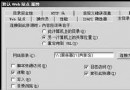
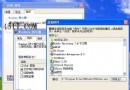
ISAPI_Rewrite.dll (3.x) 或 Rewrite.dll (2.x) 及配置文件C:\ISAPI_Rewrite\)IIS_WPG (IIS 6.0) 或 IIS_IUSRS (IIS 7+) 「讀取/執行」權限rewrite (部分版本要求固定名稱)ISAPI_Rewrite.dll (或 Rewrite.dll)iisreset 或「網站」右鍵「停止/啟動」httpd.conf 3.x / httpd.ini 2.x)# 3.x httpd.conf
RewriteEngine On
RewriteRule ^test\.html$ /default.asp [L]https://site/test.html 應內部重寫至 default.asp (地址欄不變)httpd.conf/httpd.ini),或指定自定義路徑 (部分版本支持註冊表/環境變量指定)RewriteLog、RewriteLogLevel (2.x) / LogLevel (3.x) 排查規則匹配問題ConfigFilePath 值)現代替代方案:IIS 7.0+ (Windows Server 2008+) 內建 URL Rewrite Module 2.0+,通過 web.config 原生配置,無需第三方 ISAPI,性能更優、功能更全、管理更便捷。強烈建議升級至 IIS 7+ 環境。