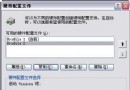
在「網路連線」建立撥號連線,命名為 adsl,登入時勾選「儲存使用者名稱和密碼」,內容頁取消「顯示撥號進度」。
開啟登錄表編輯器 (regedit),定位至:
HKEY_LOCAL_MACHINE\SOFTWARE\Microsoft\Windows\CurrentVersion\Run
新增字串值:
名稱:adsl
數值:c:\windows\system32\rasphone.exe -d adsl
重開機測試,無論冷開機或註銷重新登入,皆會自動在背景撥號連網,無任何視窗干擾。適合長期在線的伺服器或下載站電腦。
Windows XP 映像檔減肥實戰:關閉系統還原/休眠/虛擬記憶體 + Ghost 最高壓縮 = 單張 CD 可存
修改 .reg 檔預設動作為「編輯」而非「合併」,防止誤導入登錄檔毀系統
Windows XP 「公文包」六大實用技巧:跨設備同步、脫機文件選擇、狀態檢查
建立磁碟還原點,輕鬆恢復被修改或刪除的檔案與資料夾 (Vista 卷影副本實戰)
Windows XP 手機與電腦藍牙配對傳輸檔案完整圖文教學
Windows XP 系統極致優化 32 招:服務精簡、開關機加速、登錄調校與介面客製化全攻略