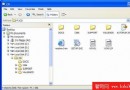
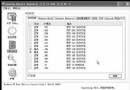
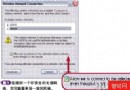
工作管理器縮小至工作列即可顯示 CPU 使用率綠色圖示,滑鼠游標懸停顯示具體百分比。設定開機自動啟動並最小化,隨時掌握系統負載。
regedit
HKEY_LOCAL_MACHINE\SOFTWARE\Microsoft\Windows\CurrentVersion\Run
start /min c:\windows\system32\taskmgr.exe
start /min c:\winnt\system32\taskmgr.exe
文中附上設定畫面截圖。八哥網供稿。
Windows XP 兩大使用禁忌:虛擬光碟機與無效日期
Windows XP 系統故障修復寶典:不重灌還原系統與登錄
Windows XP 與 Windows 98 局域網互訪終極配置指南
解決 Windows XP 頑固自啟動程式無法停用的問題
解決 Windows XP 無法正常關機:APM/ACPI 衝突排查與 BIOS 設定指南
Windows XP 內建燒錄功能完整設定與 CD-RW 光碟清除教學
你遇過嗎?10大最易發生PC災難 (6) - 3C設備進水急救指南
Windows XP 透過 net user 指令限制使用者登入時間,管控上網權限