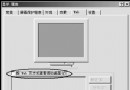
Vista 內建螢幕保護程式(Aurora、Bubbles、Mystify、Ribbons、ssBranded、ssText3d 等)效果優美。雙系統環境下,只需將 Vista C:\Windows\System32 下的 .scr 副檔名檔案 複製到 XP 同路徑,即可在 XP 顯示內容「螢幕保護程式」清單中使用。
C:\Windows\System32。*.scr 檔案(建議開啟「顯示副檔名」)。C:\Windows\System32。小技巧不算高深,但能讓雙系統體驗一致,喜歡 Vista 視覺風格的 XP 使用者可試試。
Windows XP 安裝參數完整指南:winnt32.exe 進階選項詳解
體驗 Windows XP SP2 強大無線網路新功能:向導組網、防火牆防護、狀態管理、藍牙支援
Windows Server 2003 內建 Empty.exe 釋放記憶體資源,無需第三方軟體
讓 Windows XP 自動維護:利用 .inf 檔排程執行磁碟整理、備份與清理
沖擊波/震盪波強制關機怎麼辦?Windows XP/2000 使用 shutdown.exe -a 緊急中止重啟
Windows XP 系統優化加速十大秘技:登錄調校、服務精簡與開機加速