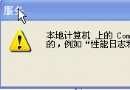
登入時提示「此媒體類型的產品序號無效,錯誤代碼 0x80040509」,任何帳號(含 Administrator)均無法進入桌面。
自動更新安裝的某些 Hotfix 導致授權驗證失敗。
Windows XP hotfix ...
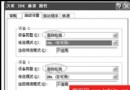
為避免再發生,建議關閉自動更新:「我的電腦」右鍵→「內容」→「自動更新」→勾選「關閉自動更新,我要手動更新我的電腦」。
如何在保證系統正常情況下移除 Windows XP SP2:四種官方支援方法
關閉 Windows XP 內建冗餘功能:精簡系統、釋放資源的 5 大實用技巧
XP 註冊表「映像檔執行選項」進階應用:阻擋特定程式執行
Windows XP SP2 系統優化十大實用技巧:隱藏檔案存取、L2 快取、自動關閉無回應程式、關機加速等
INF 檔案實戰應用全攻略:識別硬體、安裝驅動、徹底移除、自動登入
Windows XP 開機自動撥號上網:註冊表 Run 鍵值一行指令搞定
Windows 秒級關機重啟技巧:熱鍵組合與 Super Fast Shutdown 工具
Windows XP 光碟機實用技巧六則:固定磁碟代號、虛擬光碟、安全模式讀取等