XP SP2 引入 Windows Server 2003 的「並發工作階段」特性,修改登錄即可允許主控台與遠端桌面多使用者同時登入。
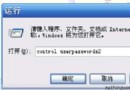
regedit
HKEY_LOCAL_MACHINE\System\CurrentControlSet\Control\Terminal Server\Licensing Core
EnableConcurrentSessions
1
修改 Windows XP 內建 Administrator 帳號名稱,阻擋暴力破解第一道防線
Windows XP 客戶端安全設定指南(三):FIPS 加密、系統物件、軟體限制與事件日誌
Windows 檔案總管進階技巧:無需多視窗快速複製移動檔案
Windows XP/2003 系統服務備份與災難恢復:登錄檔匯出與修復主控台實戰
Windows XP 實用技巧大全:加密、DOS 相容、聲音修復、自動登入
Windows XP 系統檔案保護 (SFC) 參數完整解析與應用
Windows「安全模式」五大實戰用途詳解
Windows XP 強大的 Syskey 命令:雙重密碼與開機金鑰碟保護系統