錯誤現象
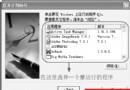
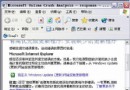
執行管理工具 (電腦管理、服務、事件檢視器等) 時,MMC 提示「無法開啟檔案,可能不存在或權限不足」,但檔案正常且使用者為管理員。
解決方法
- 「控制台 → 新增/移除程式 → 新增/移除 Windows 元件」。
- 取消勾選「Internet Information Services (IIS)」移除。
- 放入 Windows XP 安裝光碟,重新勾選安裝 IIS。
- 完成後管理工具恢復正常運作。
適用情境
Windows XP Professional 安裝 IIS 後發生 MMC 管理單元載入失敗。同理可用於其他 MMC 相關異常。