Windows XP Windows 7 Windows 2003 Windows Vista Windows 綜合教學 Linux 系統教學
Windows 10 Windows 8 Windows 2008 Windows NT Windows Server 電腦軟體教學

巧妙清除 Windows XP 任務列系統匣區隱藏圖示歷史記錄

編輯:XP 系統基礎知識

問題現象

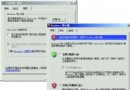
啟用「隱藏不活動圖示」後,右鍵任務列 → 「屬性」 → 「自訂」,「過去的項目」會累積大量歷史記錄,介面雜亂。

解決方法:刪除登錄機碼並重啟 Explorer

  1. 開啟登錄編輯器 (Win+R → regedit),定位至:
    HKEY_CURRENT_USER\Software\Microsoft\Windows\CurrentVersion\Explorer\TrayNotify
  2. 刪除整個 TrayNotify 機碼(包含 IconStreams 當前項目與 PastIconsStream 過去項目)。
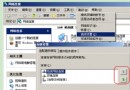
  3. 按 Ctrl+Alt+Del 開啟工作管理員,「程序」頁籤找到 explorer.exe → 「結束程序」。
  4. 工作管理員「檔案」 → 「新增工作」 → 輸入 explorer.exe → 確定,重新啟動桌面程序。

補充說明

  • 此法同時清除「當前項目」與「過去的項目」所有記錄。
  • 重啟 Explorer 後,系統會自動重建乾淨的 TrayNotify 機碼。
  • 若僅想清除「過去的項目」,可只刪除 PastIconsStream 值,保留 TrayNotify 機碼。
Copyright © Windows教程網 All Rights Reserved