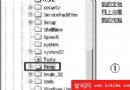
問題: Windows XP 「搜尋」功能無法運作。
解決:
Windows\Inf
srchasst.inf
即可修復搜尋功能相關登錄與系統檔案。
gMote:自訂滑鼠手勢操作 Windows,400KB 實現啟動程式、視窗控制、媒體播放全掌握
Windows XP SP2 防火牆阻擋應用程式?教你建立例外規則與手動開啟連接埠
Windows XP 檔案系統轉換指南:FAT32 轉 NTFS 完整圖文教學 (Convert.exe)
Windows 兩招另類小技:緊急「防火牆」與帶滑鼠截圖
你遇過嗎?10大最易發生PC災難 (8) - 重要檔案誤刪救援指南
忘記 Windows XP 密碼?三種找回方法快速解鎖
解決 Windows XP 無法安裝 USB 2.0 驅動程式的問題
Windows XP SP2 修改網路時間同步間隔:登錄調整 SpecialPollInterval 實現自訂頻率