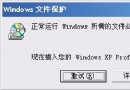
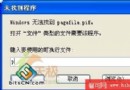
中文 XP 系統頻繁安裝日文軟體,每次切換「非 Unicode 程式語言」極麻煩。安裝 Microsoft AppLocale 後,InstallShield 安裝介面卻出現日文假名亂碼。
WINDOWS\AppPatch\AppLoc.tmp
AppLoc.tmp
原理:AppLocale 每次使用都會產生此暫存檔,導致安裝介面編碼錯誤。唯讀空檔可阻止其重建。
Windows XP 故障修復利器:完整掌握「故障修復控制台」指令與操作
Windows XP 內建 IExpress 建立自解壓縮檔案教學
Windows XP 進階應用技巧大全:16 招提升效率與安全
「該記憶體不能為 read/written」錯誤完整解決方案與案例分析
XP 開機進度條階段花屏/黑屏:九大硬體與設定故障排查清單
Windows XP SP2 v2082 中文版安裝全程圖解:安全中心、新防火牆、組件版本升級
AMD APU 處理器深度解析:異構計算先鋒的優勢與現狀
XP 達人必備 7 大技巧:Ctrl+滾輪縮放網頁、螢幕鍵盤、關閉錯誤回報、快速開啟控制台…