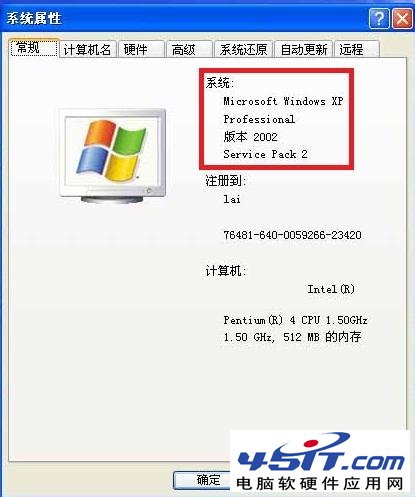
下載驅動時發現 XP 分 32 位元與 64 位元版,如何確認自己系統版本?
隨著記憶體容量增大,32 位元系統明顯不足,64 位元用戶增多。但 XP 絕大多數為 32 位元版,64 位元 XP 使用極少,你的系統極大機率是 32 位元。
實現 ADSL 寬頻開機自動撥號:捷徑放入啟動群組+儲存密碼設定
Windows XP 系統聲音事件完整設定指南
刪除隱藏的 Windows XP 元件:修改 Sysoc.inf 移除 hide 字串,讓元件精靈顯示所有可移除項目
Windows XP 進階重啟技巧:讓系統死機、資源管理員崩潰時自動重啟
Windows XP 註冊表 10 大實用技巧:開機自啟、熱鍵封鎖、服務重命名、頻寬釋放全攻略
開機出現 "Error loading operating system" 解決方案
Linux 開機與關機完整操作指南:從 LILO 到 shutdown
Windows XP 工作列三大變身術:桌面版「執行」列、內嵌 WMP 播放控制、自動隱藏桌面圖示