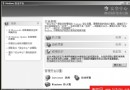
修正開始功能表錯位:替換修改版 explorer.exe
- 現象:安裝 WB5 Vista 主題後,開始按鈕位置偏移、動畫錯位 (Vista 開始按鈕較寬、位置不同)。
- 根因:系統外殼
explorer.exe 硬編碼開始按鈕位置與動畫資源。
- 解法:下載修改版
explorer.exe (已調整資源對齊 Vista 主題)。
步驟:
1. 工作列右鍵 → 工作管理員 → 進程 → 結束 explorer.exe (桌面圖示消失)。
2. 工作管理員 → 檔案 → 新增工作 → 瀏覽選擇修改版 explorer.exe → 確定。
3. 桌面恢復,開始功能表位置/動畫正常。
- 持久化:需再次用 Replacer 將修改版
explorer.exe 替換 C:\Windows\System32\explorer.exe,否則重開機失效。
安裝 Vista 快捷工具列 - Styler 1.4 + VistaCHS TB 皮膚
- 相似度:★★★★ 實用度:★★★★
- 步驟:
1. 解壓 VistaCHS TB 皮膚到 Styler 目錄 TB\skins\Styler's。
2. 雙擊 Styler_EN.exe → 系統匣右鍵 → Show → 設定視窗。
3. 「Toolbar」頁選 VistaCHS TB 皮膚 → 勾選「Hide Menubar (Explorer)」與「Styler TB」→ 確定退出。
- 效果:資料夾視窗獲得 Vista 風格麵包屑導航列、整合搜尋框、命令按鈕,極大提升操作體驗。
結語
修正 explorer.exe 錯位是「完美模擬」關鍵細節,Styler 工具列補全 Vista 資料夾視窗介面,兩步解決主題包安裝後的兩大視覺缺憾。