Windows XP Windows 7 Windows 2003 Windows Vista Windows 綜合教學 Linux 系統教學
Windows 10 Windows 8 Windows 2008 Windows NT Windows Server 電腦軟體教學

清理 Windows XP「自定義通知」無用歷史項目註冊表法

編輯:XP 系統基礎知識

現象

任務欄右鍵 → 屬性 → 通知區域「自定義」→「過去的項目」堆積大量已卸載程序殘留記錄。

根因

HKEY_CURRENT_USER\Software\Microsoft\Windows\CurrentVersion\Explorer\TrayNotify 存儲兩二進制值:IconStreams (當前)、PastIconsStream (歷史)。

一鍵清理步驟

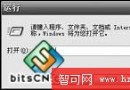
  1. 運行 regedit 定位上述分支。
  2. 刪除右側 IconStreams 和 PastIconsStream 兩個值(或直接刪除整個 TrayNotify 項)。

  3. 重啟計算機(或重啟 Explorer 進程)。
  4. 再次打開「自定義通知」,「過去的項目」已清空,僅保留當前活動圖標。
Copyright © Windows教程網 All Rights Reserved