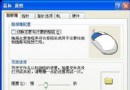
朋友電腦待機後滑鼠鍵盤無法喚醒,必須重開機。重灌系統後幾天又復發。
BIOS 電源管理模式有 S1 (POS) 與 S3 (STR) 兩種:
該機 BIOS 設為 S3 且啟用休眠功能,導致滑鼠鍵盤無法喚醒。
進 BIOS 將電源模式改為 S1,存檔重開,故障排除。
Windows XP SP2 將新增五大防間諜功能:彈出視窗攔截、ActiveX 強化、下載防護
善用群組原則隔離雙系統分區:防止 Win2k/WinXP 互刪檔案導致崩潰
菜鳥用電腦最忌諱的 18 個動作(上):硬體篇
讓 Windows XP 效能飛躍的四大實戰技巧
Windows XP 群組原則 (gpedit.msc) 快速啟動與基本架構認識
Windows XP 支援工具全解析:100+ 專業工具深度挖掘
系統修復利器 SREng 核心功能:智慧掃描與啟動項深度清理(上)
啟用 Longhorn Build 5048 DWM 桌面視窗管理器:透明與 3D 陰影效果