DOS 時代靠 autoexec.bat 設 PATH,Windows 可更隱蔽地透過註冊表為特定程式註冊路徑。以 WinRAR 為例:
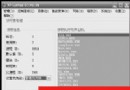
regedit,展開 HKEY_LOCAL_MACHINE\Software\Microsoft\Windows\CurrentVersion\App Paths(無則新建)。WinRAR.exe,修改其「預設」字串值為完整路徑:C:\Program Files\WinRAR\WinRAR.exe。Path = C:\Program Files\WinRAR。完成後,「執行」輸入 WinRAR.exe 或 WinRAR 即可直接啟動。
%ProgramFiles%\WinZip\WinZip32.exe 替代絕對路徑,增強可攜性。善用 App Paths,讓常用工具隨喚隨用,無須污染系統 PATH 環境變數。
Windows 工作列進階應用五則:True Launch Bar、自訂工具列、Winamp 控制、托盤動畫、MR Tech Systray
Windows 群組原則入門與實戰:從介面客製化到安全性鎖定
讓系統碟保持乾淨:7 步驟移動暫存檔、我的文件、虛擬記憶體到非系統槽
Windows XP 檔案安全三重奏:EFS 加密、共享隱藏、專用資料夾實戰設定
無悔追擊:揪出佔滿 Windows XP 系統盤空間的兩大兇手——hiberfil.sys 與 pagefile.sys
Windows Media Player 10 常見問題解答全集(一):截圖、歷史清除、緩衝優化、版權保護、播放清單、錯誤修復、同步故障