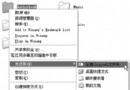
安裝 XP 後使用 QQ 傳檔/收檔均失敗。
XP 撥號連線內建「網際網路連線防火牆」 (ICF) 預設啟用,封鎖 QQ 傳檔所需埠口。
同頁籤「設定」按鈕可進階配置 ICF 規則;若需共用網路連線,亦可在此啟用「網際網路連線共用」。
裝置管理員 3 大隱藏技巧:顯示詳細資訊、隱藏光碟機、顯示所有裝置
三招管控孩子電腦使用:限時、斷網、禁攝像頭
三大 Windows 系統故障恢復寶典:XP/2000/98 系統與登錄修復完整方案
Windows XP/2000 超強 syskey 命令:雙重密碼與金鑰磁碟保護系統
記事本隱藏神技:輸入 .LOG 自動建立時間軸工作日誌
深入理解與優化 Windows XP 啟動(一):啟動流程、預讀取技術、Prefetch 資料夾與磁碟重組關係
實現 Windows XP 自動登入:修改登錄檔三步驟免輸入密碼
記憶體導致電腦當機?七大常見症狀與對應解法完整指南