Windows XP Windows 7 Windows 2003 Windows Vista Windows 綜合教學 Linux 系統教學
Windows 10 Windows 8 Windows 2008 Windows NT Windows Server 電腦軟體教學

Windows XP「新增/移除程式」加速三法 (精簡版)

編輯:XP 系統基礎知識

「新增/移除程式」開啟緩慢是 XP 常見老化症狀,三招直擊核心成因,立竿見影。

1. 系統檔案修復 — 根治檔案損毀

執行 → sfc /scannow → 插入安裝光碟修復 → 重開機

修復所有受保護系統檔案,解決因檔案遺失/版本錯誤導致的列舉延遲。

2. 啟用 Protected Storage 服務 — 消除加密存取等待

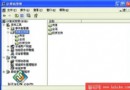
  1. services.msc → 找 Protected Storage
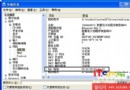
  2. 啟動類型改 自動 → 啟動服務 → 重開機

此服務支援軟體安裝資訊的加密讀取,預設手動會造成首次開啟時的長時間卡頓。

3. 編輯 sysoc.inf 移除 hide 參數 — 加快元件列舉

  1. 以記事本開啟 C:\Windows\inf\sysoc.inf
  2. 搜尋並刪除所有 ,hide 字串
  3. 存檔

移除隱藏標記後,「新增/移除 Windows 元件」不再跳過隱藏項目檢查,列舉速度大增,順便可見並移除 MSN Explorer、Windows Messenger 等預設隱藏元件。

執行順序建議

  1. SFC 修復 (最基礎)
  2. Protected Storage 設自動 (最常見成因)
  3. sysoc.inf 微調 (極致優化)

三步驟約 15 分鐘,讓軟體管理介面恢復秒開體驗。

Copyright © Windows教程網 All Rights Reserved