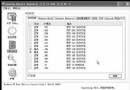
Windows XP 預設啟用數十項服務,許多為企業網路、伺服器功能或已淘汰技術設計。逐項理解各服務功能、依賴關係與風險,依據自身硬體與使用場景精準設定,才能在穩定與效能間取得最佳平衡。本文提供詳細對照表供進階用戶參考。
| 服務名稱 | 功能簡述 | 依賴/補充說明 | 建議設定 | 適用場景/風險提示 |
|---|---|---|---|---|
| Plug and Play | 硬體偵測與熱插拔核心 | 相依:Logical Disk Manager, Windows Audio 等 | 自動 | 系統核心,絕不可動,停用會導致系統不穩 |
| Portable Media Serial Number | 取得攜帶式裝置序號 | 僅用於特定舊型 MP3 播放器 | 停用 | 現代環境幾乎無用 |
| Print Spooler | 列印佇列管理 | 相依:RPC | 無印表機則停用 | 有印表機設為自動 |
| Protected Storage | 儲存私密金鑰/密碼 (Outlook, 撥號) | 相依:RPC | 自動 | 關閉會導致儲存密碼遺失、IE/Outlook 無法記憶帳號 |
| QoS RSVP | 頻寬保留 (20%) 與 QoS 訊號 | 需網卡支援 802.1p、網域有 ACS Server | 停用 | 一般家用/小型辦公環境無效,關閉可釋放頻寬 |
| Messenger | 網路訊息傳送 (net send) | 相依:NetBIOS, Plug and Play, RPC, Workstation | 停用 | 易受垃圾訊息騷擾,安全性建議關閉 |
| MS Software Shadow Copy Provider | 磁碟陰影複製管理 (備份用) | 相依:RPC | 手動 | 僅執行 Windows 備份/NTBackup 時需要 |
| Net Logon | 網域登入驗證 | 相依:Workstation | 停用 | 非加入網域電腦無需 |
| NetMeeting Remote Desktop Sharing | NetMeeting 遠端桌面共享 | 開啟額外連接埠,有安全風險 | 停用 | 現代環境已棄用 NetMeeting |
| Network Connections | 管理網路與撥號連線 | 相依:RPC, ICF/ICS | 手動 | 需管理網路連線時自動啟動 |
| Network DDE / DSDM | 網路動態資料交換 | 相依:ClipBook | 停用 | 舊版 16-bit 應用程式才用,現代無需 |
| Network Location Awareness (NLA) | 收集網路位置資訊 | 相依:ICF/ICS | 停用 | 未使用 XP 防火牆/ICS 可關閉 |
| Remote Access Auto Connection Manager | 程式參照遠端名稱時自動撥號 | 相依:RAS Connection Manager, Telephony | 手動 | 部份 ADSL/VPN 需求才用 |
| Remote Access Connection Manager | 建立 VPN/撥號連線 | 相依:Telephony, ICF/ICS | 手動 | 無 VPN/撥號需求可停用 |
| Remote Desktop Help Session Manager | 管理遠端協助 | 相依:RPC | 停用 | 不使用遠端協助功能可關閉 |
| Remote Procedure Call (RPC) | 核心 RPC 端點對應 | 極多服務相依 | 自動 | 系統核心,絕不可動 |
| Remote Procedure Call (RPC) Locator | 管理 RPC 名稱服務資料庫 | 相依:Workstation | 停用 | 非 DCOM 分散式應用環境無需 |
| Remote Registry | 允許遠端修改登錄 | 相依:RPC | 停用 | 安全性極高風險,除非需遠端管理否則必關 |
| Removable Storage | 管理磁帶/Zip/USB 大容量儲存 | 相依:RPC | 停用 | 無磁帶機/舊式可移除磁碟可關閉 |
| Routing and Remote Access | 路由、VPN、NAT 服務 | 相依:RPC, NetBIOS Group | 停用 | 非作為伺服器/閘道器無需 |
| Secondary Logon | 「以其他使用者身分執行」 | 無特殊相依 | 自動 | 建議保留,方便以管理員身分執行程式 |
| Security Accounts Manager | 本機帳號安全性資料庫 | 相依:RPC, DTC | 自動 | 核心安全服務,不可動 |
| Server | 檔案/列印/命名管道共享 | 相依:Computer Browser | 不共享則停用 | 單機/無區域網路共享建議關閉,減少攻擊面 |
| Shell Hardware Detection | 自動播放硬體事件通知 | 相依:無 | 自動 | 關閉會導致光碟/USB 插入無自動播放反應 |
services.msc 的「相依性」分頁檢查。可將以下指令存為 xp_services_opt.bat 以系統管理員身分執行 (需依實際環境微調):
@echo off
rem === 核心服務 - 勿動 ===
rem === 建議停用 ===
sc config "Messenger" start= disabled
sc config "RemoteRegistry" start= disabled
sc config "NetLogon" start= disabled
sc config "RemoteDesktopHelpSessionMgr" start= disabled
sc config "RPC Locator" start= disabled
sc config "Removable Storage" start= disabled
sc config "Routing and Remote Access" start= disabled
sc config "SSDP Discovery Service" start= disabled
sc config "UPnP Device Host" start= disabled
sc config "Network DDE" start= disabled
sc config "Network DDE DSDM" start= disabled
sc config "NetMeeting Remote Desktop Sharing" start= disabled
sc config "QoS RSVP" start= disabled
sc config "Portable Media Serial Number" start= disabled
sc config "ClipBook" start= disabled
sc config "Indexing Service" start= disabled
sc config "Error Reporting Service" start= disabled
rem === 建議手動 ===
sc config "Network Connections" start= demand
sc config "RemoteAccess" start= demand
sc config "RemoteAccessAuto" start= demand
sc config "MS Software Shadow Copy Provider" start= demand
sc config "Print Spooler" start= demand
rem === 視硬體/需求調整 ===
rem 無印表機: sc config "Spooler" start= disabled
rem 無無線網卡/用廠商工具: sc config "WZCSVC" start= disabled
rem 不共享檔案/印表機: sc config "LanmanServer" start= disabled
echo 完成,請重新開機生效。
pause
Windows XP 服務優化是「減法藝術」:在確保系統穩定、硬體功能正常、安全基線不降低的前提下,精準移除冗餘背景程序。建議採取 「分階段、可回滾」 策略:每次調整 3-5 項服務 → 觀察 1-2 天 → 確認無異常再繼續。搭配本文對照表與腳本,您將能打造出一套精簡、高效、安全的 XP 執行環境。