Windows 關機/重啟本質上均呼叫 %SystemRoot%\System32\shutdown.exe。病毒(衝擊波/震盪波)、遠端管理工具、排程工作觸發關機時,皆會啟動此程式並顯示倒數對話框。**在倒數期間執行 shutdown.exe -a 即可中止該關機序列**。
shutdown.exe -a(注意空格) → Enter。| 參數 | 功能 | 範例 |
|---|---|---|
-a | 中止關機序列 | shutdown -a |
-s | 關機 | shutdown -s -t 60 |
-r | 重啟 | shutdown -r -f -t 30 |
-f | 強制關閉應用程式(不提示儲存) | 常搭配 -s/-r |
-m \\Computer | 遠端控制目標電腦 | shutdown -m \\PC01 -r |
-i | 圖形介面模式(必須為第一參數) | shutdown -i |
-l | 登出目前使用者 | shutdown -l |
-t xxx | 設定倒數秒數 (0-315360000) | shutdown -s -t 3600 (1小時) |
-c "msg" | 自訂對話框訊息 (最長 127 字) | shutdown -r -t 60 -c "維護重啟" |
:: 每晚 23:00 關機
at 23:00 shutdown -s -f

:: 60 分鐘後關機
shutdown -s -t 3600 -c "1小時後自動關機,請儲存工作"
shutdown -m \\SERVER01 -r -f -t 30 -c "套用補丁需重啟"
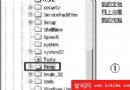
Win2k 原生使用 rundll32.exe shell32.dll,SHExitWindowsEx。將 XP 的 shutdown.exe 複製至 Win2k %SystemRoot%\System32 即可直接使用上述所有參數。
shutdown.exe 執行;關閉不必要的 RPC (TCP 135/445) 連接埠;安裝防毒並開啟即時防護。