背景
P4 時代 256MB 記憶體配 XP 很常見,系統服務過多易導致資源耗盡死機。針對非必要服務停用可顯著改善。
四大快速優化指令
- 停用內建壓縮資料夾:
regsvr32 /u zipfldr.dll (若使用 WinRAR/7-Zip)
- 縮短開機磁碟掃描等待:
chkntfs /t:0 (重啟生效)
- 刪除系統備份檔案 (軟硬體安裝穩定後):
sfc.exe /purgecache (可釋放百 MB 空間,不直接加速)
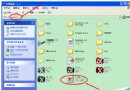
- 服務管理器精簡服務:
services.msc → 將下列服務設為「停用」或「手動」:
建議停用/手動的服務清單 (部分)
- Alerter (錯誤警示)
- Application Layer Gateway Service (第三方防火牆/共用支援)
- Automatic Updates (自動更新)
- Background Intelligent Transfer Service (BITS)
- ClipBook (剪貼簿共用)
- COM+ Event System / Application (無 COM+ 應用時)
- Computer Browser (瀏覽網路電腦,關閉不影響存取)
- Cryptographic Services (Windows Update 時再啟用)
- DHCP Client (靜態 IP 環境)
- Distributed Link Tracking Client
- Distributed Transaction Coordinator
- DNS Client
- Error Reporting Service (錯誤回報)
- Fast User Switching Compatibility
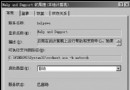
- Help and Support
- Human Interface Device Access
- IMAPI CD-Burning COM Service (用第三方燒錄軟體)
- Indexing Service (極度拖慢系統,強烈建議停用)
- Internet Connection Firewall (不用內建防火牆)
- IPSEC Services
- Logical Disk Manager / Administrative Service (需時再啟動)
- Messenger (非 MSN,停用防彈窗騷擾)
- MS Software Shadow Copy Provider
- Net Logon (非網域環境)
- NetMeeting Remote Desktop Sharing
- ... (完整清單請參考原文,依個人需求斟酌)
注意:Event Log、Workstation、Plug and Play、RPC、Protected Storage、Windows Management Instrumentation 等核心服務不可停用,否則系統將無法正常運作。調整前請確認各服務相依性。