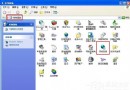
Windows 98 系統出現錯誤,但磁碟掃描或修復軟體無法解決,且系統尚未完全崩潰。
TOOLS\SYSREC
PCRESTOR
此法可修復系統檔案與登錄檔,保留使用者資料與應用程式。
Windows 工作列進階應用 9 招:移動、縮放、隱藏、多工具列與快速啟動
WinXP 任務管理器兩大快速開啟技巧:熱鍵與右鍵選單
XP 藍畫面代碼 0x0000000A 解決措施:記憶體金手指氧化、驅動異常、BIOS 禁用快取、硬體相容性清單八大檢查項
Word 另類實用六技巧:顯示過寬文件、變更預設目錄、Ctrl+Z 妙用等
WinXP 如何自訂 IE 瀏覽器標題列文字?群組原則添加個性化字串或廣告語
WinXP 硬碟分割表遺失怎麼救?DiskGenius 搜尋遺失分割區完整教學
WinXP 桌面「我的文件」圖示不見了?桌面圖示設定勾選「我的文件」即刻找回
Windows 系統優化五大秘技:註冊表硬化介面、隱藏敏感設定、移除高風險指令